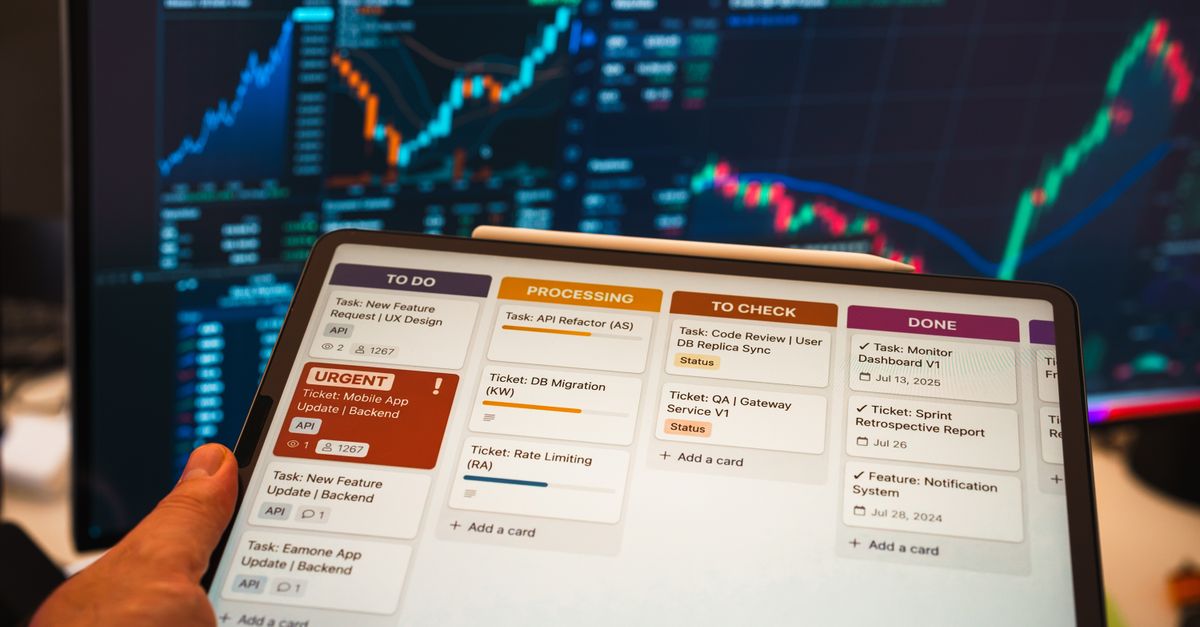
When I first adopted a fully digital task management system, I imagined a perfectly streamlined workflow: every project neatly categorized, every due date highlighted, every small chore captured and delegated. My previous system – a mix of paper planners, sticky notes, and mental reminders – was chaotic. I was constantly forgetting minor tasks, missing deadlines on small projects, and feeling overwhelmed by the sheer volume of things I needed to keep track of. The promise of a single, centralized digital hub for all my professional and personal obligations seemed like the ultimate antidote to my scattered brain.
I picked a popular, feature-rich application, spent a weekend migrating all my current tasks, and committed to using it religiously for six months. I was excited. The initial few weeks felt like a revelation: everything was visible, nothing could slip through the cracks. But as the months wore on, a different picture emerged. My productivity metrics, which I meticulously tracked through time-logging software and daily completion rates, started to plateau, and in some areas, even decline. The digital system wasn’t the magic bullet I’d anticipated. It wasn’t the tool itself that was the problem, but how I was using it, and more importantly, how it was subtly altering my approach to work and focus.
Key Takeaways
- Over-reliance on digital systems can lead to a ‘list management’ mentality that prioritizes entry over actual completion.
- The friction of adding too much detail to digital tasks can become a significant drag, especially for quick, low-priority items.
- True productivity benefits emerge when the digital tool supports, rather than dictates, your natural workflow and cognitive processes.
- Regularly reviewing and pruning your digital task list prevents it from becoming a distracting ‘to-do graveyard.’
The Illusion of Productivity Through Detailed Listing
My first significant discovery was the illusion of productivity inherent in overly detailed digital listing. In my excitement, I categorized everything. Each task had subtasks, due dates, priority levels, estimated time blocks, and even links to relevant documents. For example, ‘Write Q3 Report’ became a project with 12 subtasks, each with its own set of details. Initially, this felt incredibly organized. I had a clear roadmap for every major deliverable.
However, the time spent meticulously entering and updating these details quickly began to consume a disproportionate amount of my workday. My time-tracking software showed that by month two, I was spending nearly an hour a day managing my task list, not completing tasks. This was a 20% increase in ‘management overhead’ compared to my paper-based system. I felt busy, constantly interacting with my digital organizer, but the actual output wasn’t increasing at the same rate.
What changed everything for me was realizing that the purpose of a task list isn’t to be a perfect database; it’s to facilitate action. The mistake I see most often is treating a digital task manager like a substitute for actual work. I started applying a strict ‘two-minute rule’ to task entry: if it takes more than two minutes to describe the task, I’m either over-complicating it, or it needs to be broken down before it hits the digital list. For simpler, recurring tasks, I created templates that required minimal interaction, reducing the ‘data entry’ tax significantly.
The Hidden Cost of Low-Friction Entry for Minor Tasks
Digital task managers excel at low-friction entry. A quick tap or voice command, and a task is added. While this sounds like a benefit, for minor, low-priority tasks, it became a hidden cost. My digital inbox swelled with items like ‘reply to John’s email,’ ‘empty dishwasher,’ or ‘quick market scan.’ These tasks were indeed captured, but their sheer volume created a sense of constant overwhelm.
On a physical sticky note, I’d subconsciously filter. I wouldn’t write down ‘empty dishwasher’ because it was too trivial, or ‘reply to John’ if I could do it immediately. The physical act of writing introduced just enough friction to prompt a quick decision: act now, or capture only truly outstanding items. Digitally, that friction was gone. Every fleeting thought became a task entry.
My completion rate for major projects, paradoxically, began to suffer. With hundreds of minor tasks cluttering my view, the important, high-impact items became harder to spot and prioritize. My daily completion log showed a lot of ‘green’ for small items, but fewer ‘greens’ for the critical deliverables. In my experience, for minor tasks that take less than five minutes, it’s often more efficient to do them immediately rather than log them. The act of logging, even if quick, breaks your focus and adds to cognitive load. I now ruthlessly filter my digital inbox, deleting minor tasks that can be done right away or merging them into broader categories like ‘daily admin.’
The Overlooked Importance of ‘Deep Work’ and Manual Prioritization
One of the biggest misconceptions I had was that the digital system would automatically handle prioritization. Many apps offer algorithms to suggest ‘what to work on next’ based on due dates and assigned priority. I leaned heavily into this feature, believing it would free up my mental energy. It didn’t.
What my time-logging revealed was that I was spending more time context-switching between tasks suggested by the app. The algorithm didn’t understand my energy levels, the flow of related tasks that benefited from batching, or the ‘deep work’ required for creative problem-solving. It simply followed its programmed logic.
True deep work, the kind that moves major projects forward, requires uninterrupted focus on a single, complex task. The digital task manager, with its constant nudges and suggestions, became a source of micro-distractions. What changed everything for me was manual, daily prioritization of my top three ‘deep work’ tasks, explicitly outside the digital system’s suggestions. I would pick these three items, often related, and dedicate uninterrupted blocks of time to them, ignoring the app’s notifications until those blocks were complete. This shift, from passively following an algorithm to actively dictating my focus, dramatically improved the quality of my output for high-value work.
The Danger of the ‘To-Do Graveyard’ and Stale Lists
My final, and perhaps most impactful, realization concerned the ‘to-do graveyard’ effect. Over six months, tasks accumulated. Some became irrelevant, some were implicitly completed as part of larger projects, and others simply became overwhelming to look at. The digital system, with its infinite scroll and ability to hide completed items, facilitated this accumulation.
Unlike a physical notebook where old, uncrossed-out tasks are glaringly obvious, a digital list allows stale items to linger, subtly draining mental energy. Every time I opened the app, I was confronted with hundreds of items, many of which no longer warranted my attention. My weekly review data showed a declining satisfaction with my progress, even when actual output was stable, purely because the sheer volume of ‘open’ tasks felt insurmountable.
In my experience, a digital task list requires aggressive and consistent pruning. I instituted a mandatory weekly review, not just to plan the week ahead, but to ruthlessly delete or archive anything that was no longer active or relevant. This meant deleting tasks that were no longer priorities, merging redundant entries, and pushing deferred projects into a separate ‘someday/maybe’ list that wasn’t part of my daily view. This practice of regularly clearing out the ‘dead wood’ from my digital list made the remaining, active tasks feel much more manageable and empowering. It transformed the digital manager from a source of anxiety to a clear guide for action.
Frequently Asked Questions
What are the main downsides of relying too heavily on digital task managers?
Over-reliance can lead to excessive time spent managing the list rather than doing work, increased cognitive load from too many minor entries, and a false sense of productivity from detailed listing without actual completion. It can also make deep work harder due to constant notifications and suggestions.
How can I prevent my digital task list from becoming overwhelming?
Focus on strategic, rather than exhaustive, entry. Use the ‘two-minute rule’ for quick tasks (do them now, don’t log them) and ruthlessly filter out minor items. Implement a mandatory weekly review to delete or archive stale, irrelevant, or completed tasks.
Is it better to manually prioritize tasks or let the app do it?
In my experience, manual, daily prioritization of 2-3 ‘deep work’ tasks, independent of the app’s algorithm, is more effective. Algorithms can’t account for your energy levels, task batching opportunities, or the specific cognitive demands of deep work. Use the app for capturing, but your brain for true prioritization.
How often should I review my digital task list?
At a minimum, conduct a thorough weekly review to prune, reorganize, and plan. Daily quick scans to re-prioritize and adjust for unexpected events are also beneficial, but the weekly deep dive is crucial to prevent accumulation.
Can digital task managers still be effective for productivity?
Absolutely. The key is to use them as a support tool, not a decision-making engine. They excel at capturing ideas, setting reminders, and storing information. But your human judgment, active filtering, and intentional focus are what ultimately drive genuine productivity and impact.
My six-month journey with digital task management wasn’t about finding the perfect app, but about understanding my own workflow and cognitive biases. The tools are powerful, but their true value emerges when they augment, rather than replace, intelligent human decision-making and focused effort. It’s not about filling the list, but about strategically emptying it to make room for what truly matters.